

FFS. D1r7y effing b4st4rd5 (pardon my French) pulling off an irresponsible marketing stunt screwing over millions! I mean, really? Some "security researchers" (which I will not name or link since they do not deserve the backlink), published a critical zero-day (0-day) Linux kernel vulnerability (now with live exploits!) affecting all Linux kernels since 2017 (uff) before any patches were rolled out by distribution (distro) maintainers who did not get notified (oh 'cmon), while coincidentally launching a brand new security product (MFers). Well, here is a guide with tools (aimed at Ubuntu systems) on how to secure yourself quickly (and in a follow-up I'll show you how to set up proactive measures and automate the process with Large Language Model (LLM) agents).
- CVE-2026-31431 ("Copy Fail")
- CVSS 7.8 (HIGH) (NVD Entry)
- CWE-669: Incorrect Resource Transfer Between Spheres
- Impact: Local Privilege Escalation + Container Escape
- Introduced: Kernel 4.14 (2017),
commit 72548b093ee3 - Fixed in: 6.18.22, 6.19.12, 7.0 (fix commit)
- Researcher: Mr. Reckless (and his shitty product)
How does the saying go? "There is no bad marketing"? Well, in my world there is.
And I hope your names as security researchers and the name of your company will forever be tainted
and I wish for your bloody new product to fail miserably.
Disclosing a vulnerability of that magnitude (we are talking every other server on the planet here)
is highly praised (even profitable), and usually a noble endeavor after
patches have been rolled out,
not before and with a freaking instruction set on howto exploit the issue,
endangering actual people's lives worldwide,
while simultaneously drawing the anger of all sysadmins on the planet,
just to promote your shit. Well, done you! Mother would be proud!
With that out of the way... here is:
- how to check if you are affected
- how to defuse the exploit
- how to check if a patch for your system is available yet
- how to patch your system (once patches have been rolled out)
to get you out of the line of fire.
I'm also assembling some further recommendations that will help you secure your systems for similar 0-day events, and offer some advanced (and experimental) agent setup that will act as your personal and automated mini-sysadmin taking care of the last 20% of manual intervention, guarding your machines 24/7.
Get Out of the Line of Fire
This vulnerability is especially high risk for any machine that:
- Runs containers or Virtual Machine (VM) (page cache is shared with the host kernel; a compromised container means a compromised host and cross-tenant escape)
- Kubernetes clusters (pod-to-node escalation;
RuntimeDefaultseccomp does NOT block AF_ALG sockets) - Continuous Integration (CI)/CD runners (GitHub (GH) Actions self-hosted runners, GitLab runners, Jenkins agents: anything executing untrusted PR code as a regular user becomes root on the runner)
- Multi-tenant / shared shell hosts (dev boxes, jump hosts, university servers: any user with shell access becomes root)
- Cloud Software as a Service (SaaS) running user code (notebook hosts, agent sandboxes, serverless functions, any tenant-supplied container or script)
- Virtual Private Server (VPS) with Secure Shell (SSH) access (if you give anyone an SSH account, even a locked-down one, they can escalate)
- Machines with full-disk encryption (if the screen is locked and someone has local code execution via USB, evil maid, or compromised service, they bypass the login screen entirely)
Step 1: Check If You Are Affected
Run
uname --kernel-release on your machine and
paste the output below to check instantly:
The affected kernel range is 4.14.0 through 6.18.21 and
6.19.0 through 6.19.11.
Vulnerability is patched in 6.18.22,
6.19.12, and
7.0.0+.
If the algif_aead module is loaded, you're actively exposed:
# Check if the vulnerable module is loaded
lsmod | grep -q algif_aead && echo "Vulnerable module is loaded - Machine exploitable" || echo "Vulnerable module unloaded - Machine not exploitable"
# Check if the module is available on disk (even if not currently loaded)
modinfo algif_aead 2>/dev/null && echo "Module available - Could be loaded on demand, blacklist recommended" || echo "Module not found - Not exploitable via this CVE"Step 2: Diffuse the Exploit (Blacklist the Module)
Do this now, regardless of whether a patch for your distro exists yet or not. Blacklist the module to prevent it from being loaded at all. This is the mitigation recommended by researchers and by SUSE's advisory:
# blacklist the vulnerable module
echo "install algif_aead /bin/false" \
  | sudo tee /etc/modprobe.d/cve-2026-31431.conf \
  && echo "Blacklist written" \
  || { echo "FAILED to write blacklist"; exit 1; }

# unload module if currently loaded
sudo rmmod algif_aead 2>/dev/null \
  && echo "Module unloaded" \
|| echo "Module was not loaded (OK)"# blacklist the vulnerable module
echo "install algif_aead /bin/false" \
> /etc/modprobe.d/cve-2026-31431.conf \
&& echo "Blacklist written" \
|| { echo "FAILED to write blacklist"; exit 1; }
# unload module if currently loaded
rmmod algif_aead 2>/dev/null \
&& echo "Module unloaded" \
|| echo "Module was not loaded (OK)"
This tells modprobe to run /bin/false instead of loading the module
(which does nothing and exits with an error), and
rmmod unloads the module (if it is currently loaded).
This survives reboots because the .conf file in
/etc/modprobe.d/ is persistent.
Does this break anything?
The vast majority of systems should not see a degradation in functionality. Most encryption-dependent tools and functionality like dm-crypt/LUKS, kTLS, IPsec/XFRM, OpenSSL, SSH: none of these go through AF_ALG.
"Well, then what the hell is it good for or needed and enabled in the first place?" you might ask.
It may affect userspace specifically configured to use the afalg OpenSSL engine.
If in doubt, check with
lsof | grep AF_ALG to see if there are any open files making use of the module, right now.
Double check the mitigation worked
Confirm the blacklisting worked:
# Verify the module can no longer be loaded
modinfo algif_aead 2>/dev/null && echo "Module still available - blacklist may not be active until reboot" || echo "Module not found - mitigation confirmed"
Reboot your machine if you see
"Blacklist may not be active until reboot"
then we'll meet again in a bit. Otherwise:
"Phew. We are OK for now. But just OK and not fully out of the woods yet."
Step 3: Check If a Patch Is Available
The kernel mainline has long been fixed (by commit
a664bf3d603d),
and the fix is available in kernels starting from
6.18.22+,
6.19.12+, and
7.0.0+.
But your distro needs to backport and package it first
for you to install via a normal upgrade
(That's why we are in this whole mess).
Check:
# Check if a patched kernel is available
sudo apt update
apt list --upgradable 2>/dev/null | grep linux# Check the CVE fix status directly
pro fix CVE-2026-31431 --dry-run
# Don't worry if you don't have the `pro` cli. Use `apt`.
As of 2026-05-02T08:33:27Z, no patched
linux kernel package has been released for Ubuntu 24.04 LTS (Noble).
Canonical has shipped a
kmod mitigation package (31+20240202-2ubuntu7.2) that blacklists the module automatically, but the actual kernel fix remains listed as
"Affected" on the
Ubuntu security tracker.
The same applies to Jammy (22.04), Focal (20.04), and all other supported releases.
Only Ubuntu 26.04 LTS (Resolute) ships unaffected.
See
Canonical's advisory for the latest status.
Curious about Ubuntu Pro?
In a follow-up article I'll cover
Ubuntu Pro
in more detail. The tl;dr is it's
free for personal use on up to 5 machines and enables
Expanded Security Maintenance
(10-year security patches for Main + Universe) and
Canonical Livepatch
(runtime kernel patches without rebooting).
~# pro fix CVE-2026-31431
CVE-2026-31431: kmod update
 - https://ubuntu.com/security/CVE-2026-31431

1 affected source package is installed: linux
(1/1) linux:
Sorry, no fix is available yet.

1 package is still affected: linux
✘ CVE-2026-31431 is not resolved.
"Sorry, no fix is available yet." is what you (by now hopefully not anymore) will see in the first hours (or days) after a disclosure like this one, while the build servers are churning through kernel compiles. That's why the module blacklist is critical (while we wait...).
Step 4: Patch Your System
Once your distro ships the fix:
# Update, upgrade, reboot
sudo apt update \
  && sudo apt upgrade -y \
  && echo "Upgrade complete - rebooting..." \
&& sudo reboot# Apply the CVE fix directly
sudo pro fix CVE-2026-31431
After reboot, verify you're on the patched kernel:
# Confirm new kernel version
echo "Running kernel: $(uname -r)"
Paste the output here to verify the new kernel is patched:
Then remove the module blacklist (the kernel fix makes it safe again):
# Remove blacklist if it exists
ls /etc/modprobe.d/cve-2026-31431.conf 2>/dev/null \
  && sudo rm /etc/modprobe.d/cve-2026-31431.conf \
  && echo "Blacklist removed - module can load safely now" \
  || echo "No blacklist file found - nothing to remove"
You're out of the line of fire. Breathe. Now let's understand what we just defused.
The Vulnerability: Copy Fail
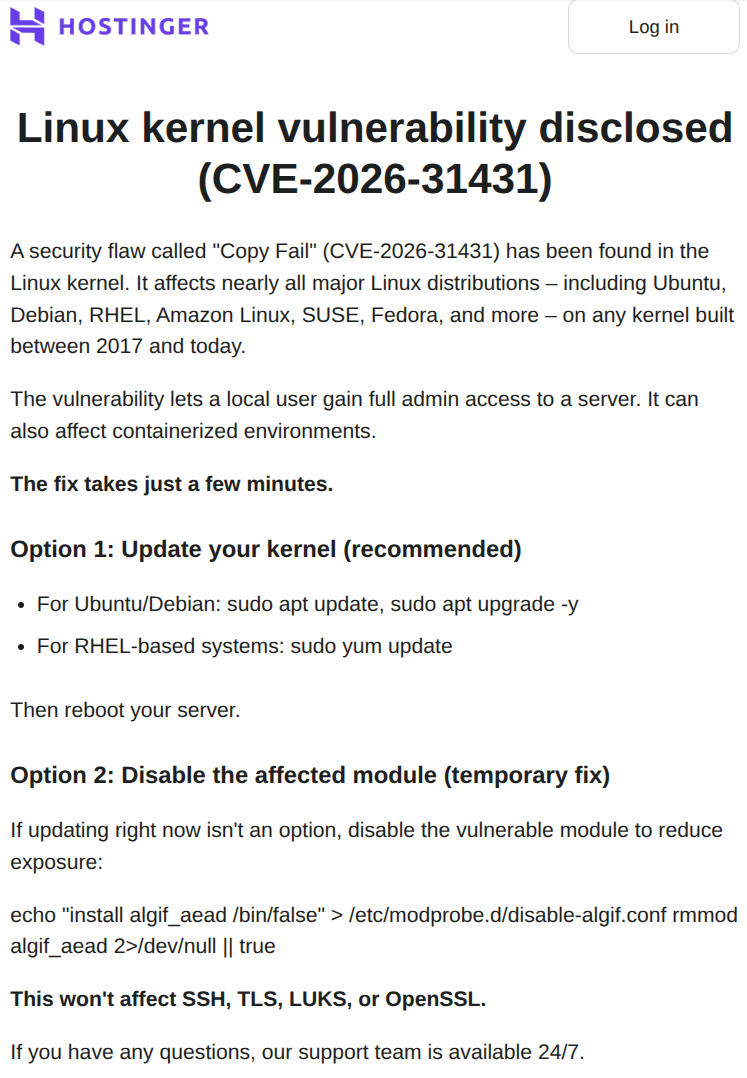
The Linux kernel has a module called algif_aead that lets regular programs
(not just the kernel itself) use the kernel's built-in
encryption functions.
That's normally fine and just like a library anyone can call.
The problem is how data gets passed between a program and this module.
When a program sends a file to the encryption module, the kernel uses a shortcut called
splice()
that passes the file's data by reference instead of making a copy,
which is slightly faster and more memory efficient since you don't have to, well, make a copy of it.
An "optimization" added in 2017 made the encryption module read and write to the same memory location (the original file's cached data in Random Access Memory (RAM)). During decryption, the module writes 4 bytes of bookkeeping data back into that shared memory. Those 4 bytes land directly on top of the cached file content (Ouch).
Why 4 bytes is enough
Linux keeps frequently accessed files in a
page cache (a copy in RAM of what's on disk)
so your system doesn't have to go the long route of hitting the drive every time a program runs.
When you type sudo, the kernel doesn't read /usr/bin/sudo from disk;
it runs the cached version from RAM, which is awesome
(in any case but allowing an unprivileged program to overwrite that cache).
It's straight forward: With those 4-bytes space the exploit is able to corrupt those cached pages.
An unprivileged user (yep, absolutely any user allowed to run any program) can then
alter the in-memory copy of programs like
/usr/bin/su or /usr/bin/sudo.
By carefully corrupting the right bytes, the attacker modifies what those programs do when they execute.
The result: any regular user can obtain root privileges.
What makes this especially nasty:
- The original program
file on disk is never modified, so file integrity checks like
debsumsorrpm -Vwon't detect it - The corruption happens even when the decryption fails since the 4-byte change persists (in cache) before the error check kicks in.
- An attacker can repeat the process however many times needed to corrupt different offsets, gradually rewriting more and more of the cached program
- The entire exploit fits in a 732-byte Python script (which I'm not gonna link since I'm still mad about how the disclosure was done, fully fucking equipped with a working exploit)
What's affected
The bug was introduced in kernel 4.14 back in 2017 and has been lurking there for nine years. That means:
- Every major Linux distribution (Ubuntu, Debian, RHEL, Amazon Linux, SUSE, Fedora, Arch Linux (Arch), and everything in between)
- Every container and VM (Docker, Podman, LXC, KVM guests all share the host kernel's page cache; a compromised container = a compromised host. That includes all your random ass Model Context Protocol (MCP) docker containers not using the Docker MCP Gateway)
- Every cloud instance running a kernel from 2017 or later (which is essentially all of them)
- Only requirement: the attacker needs local code execution like an SSH account, a container shell, a CI runner, a Jupyter notebook, basically any way to run a script.
For the full technical deep-dive, the original research team has the best resources (obviously) but screw those guys. Instead if you wanna dive deeper, see:
- Tenable FAQ
- SecurityWeek coverage
- The kernel mailing list announcement
- Ars Technica called it "the most severe Linux threat in years"
You're good for now. But this 0-day once more demonstrated that no system is safe, and decades old undiscovered bugs are just waiting to be discovered by our new AI friends.
Manually patching every time a CVE drops is not a strategy, it's a hassle and massive liability.
I can't promise you full security (no one can),
but in Part 2 I'll cover how to set up
Ubuntu Pro,
automate the upgrade process
with unattended-upgrades and cron/anacron.
I also help you automate these last pesky 20% that usually requires manual intervention
but can be solved by employing some AI friends
that work on our side and in our team.
Since, who knows, the next disclosed 0-day might not even come with a patch at all.